
TouchTunes Pay™ is now officially available to all TouchTunes operators in the US who own BullShooter G3 dartboards!
You can now view your dartboards right alongside your jukeboxes, all in Tempo. Please note that Dartboards and Leagues are still managed in LeagueLeader, meaning that all dartboard information in Tempo reports comes directly from your LeagueLeader account.
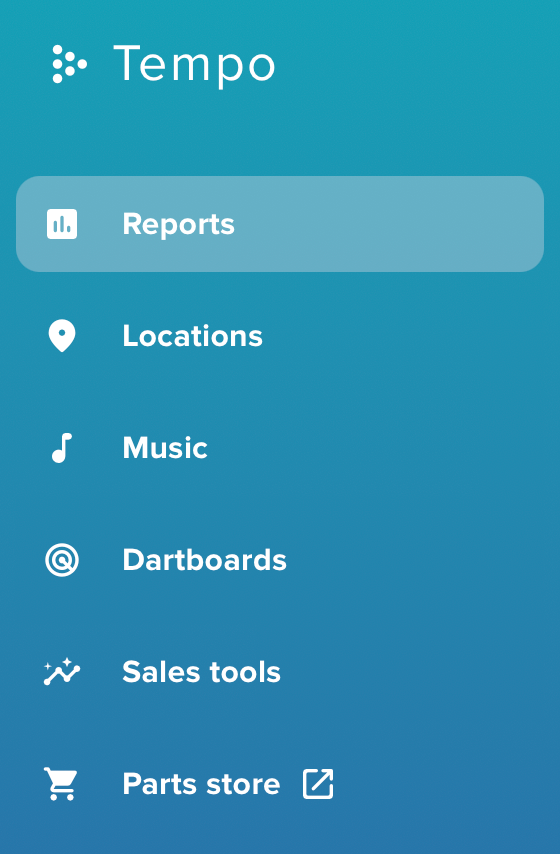
Menu changes you will notice
When you log in to Tempo, you will notice the menu looks a little different. Here is what moved and what is new:
- Dartboards is a brand new section! Dartboards are still managed in LeagueLeader, but you can access more information in Tempo's modern interface.
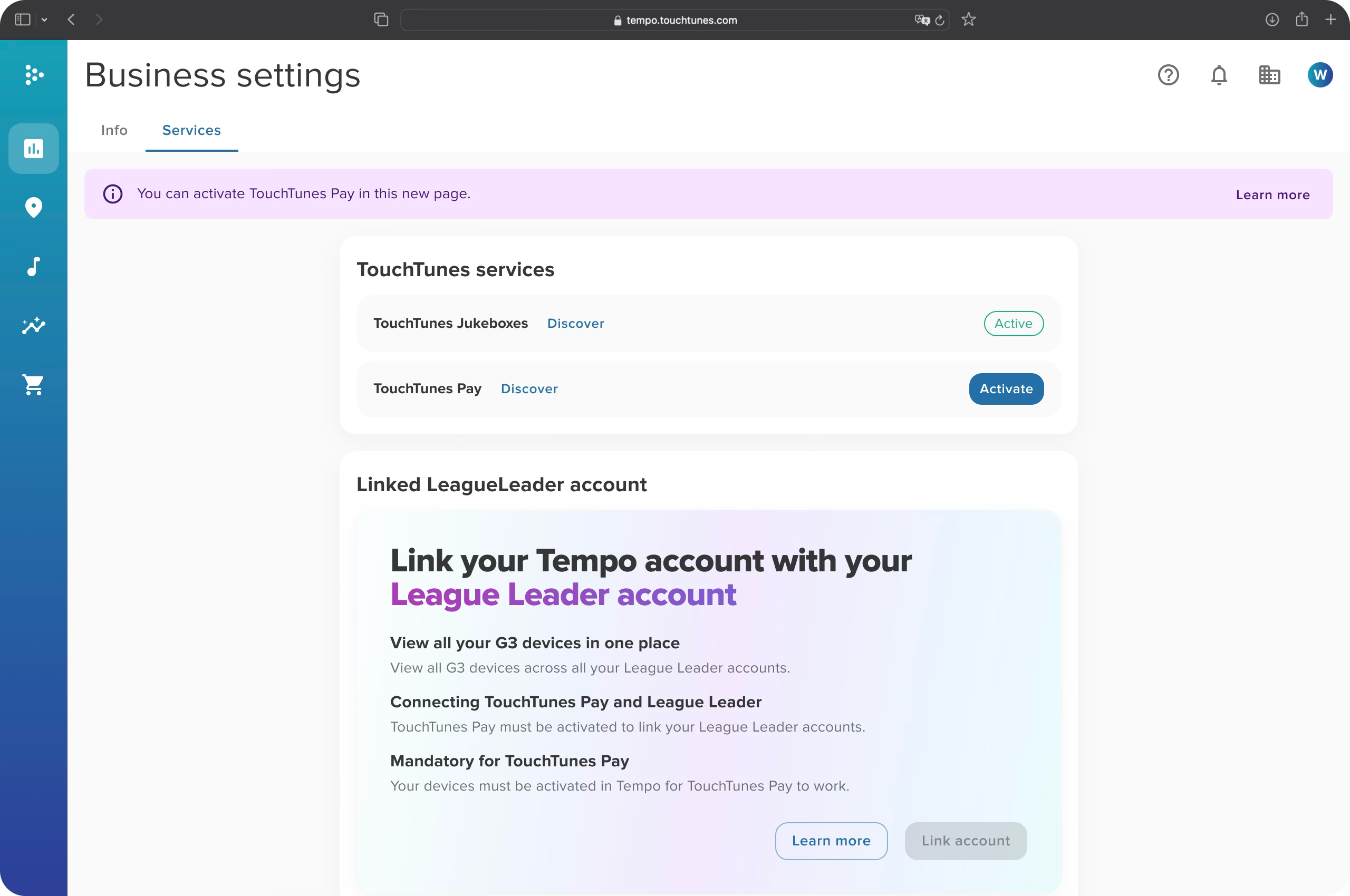
- A new Service page has been added to Business Settings. This is where you can activate TouchTunes Pay™ (see below)
Please note that Locations, Music, Sales tools and Parts store remain the same.
Activating TouchTunes Pay™
TouchTunes Pay™ lets players pay to play dartboard games digitally through the TouchTunes app, no cash needed. Now available to all operators.
To get started, you need to complete three simple steps:
Accept the new terms
Click the notification on the Home Page or go to Business Settings → Services tab. Only account administrators can do this. You can also call your sales rep if you prefer.- Link your LeagueLeader account
Once terms are accepted, connect your existing LeagueLeader account(s) to Tempo.
No LeagueLeader account yet? Contact your sales rep. - Manage TouchTunes Pay™ setting in Tempo
Once activated, you choose which locations offer TouchTunes Pay™ and can disable at any location, anytime.
Already in the Beta program? You still need to accept the new terms for darts. Just follow Step 1 above.
Tempo Home Page with dartboard data
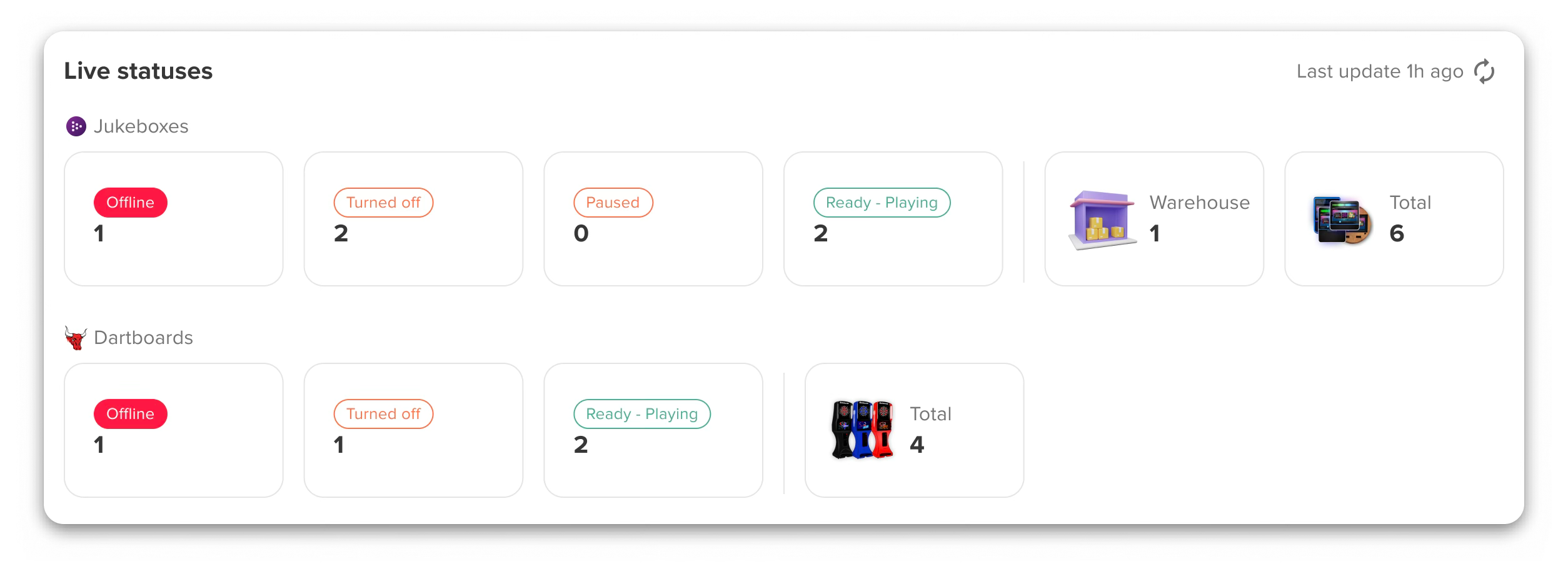
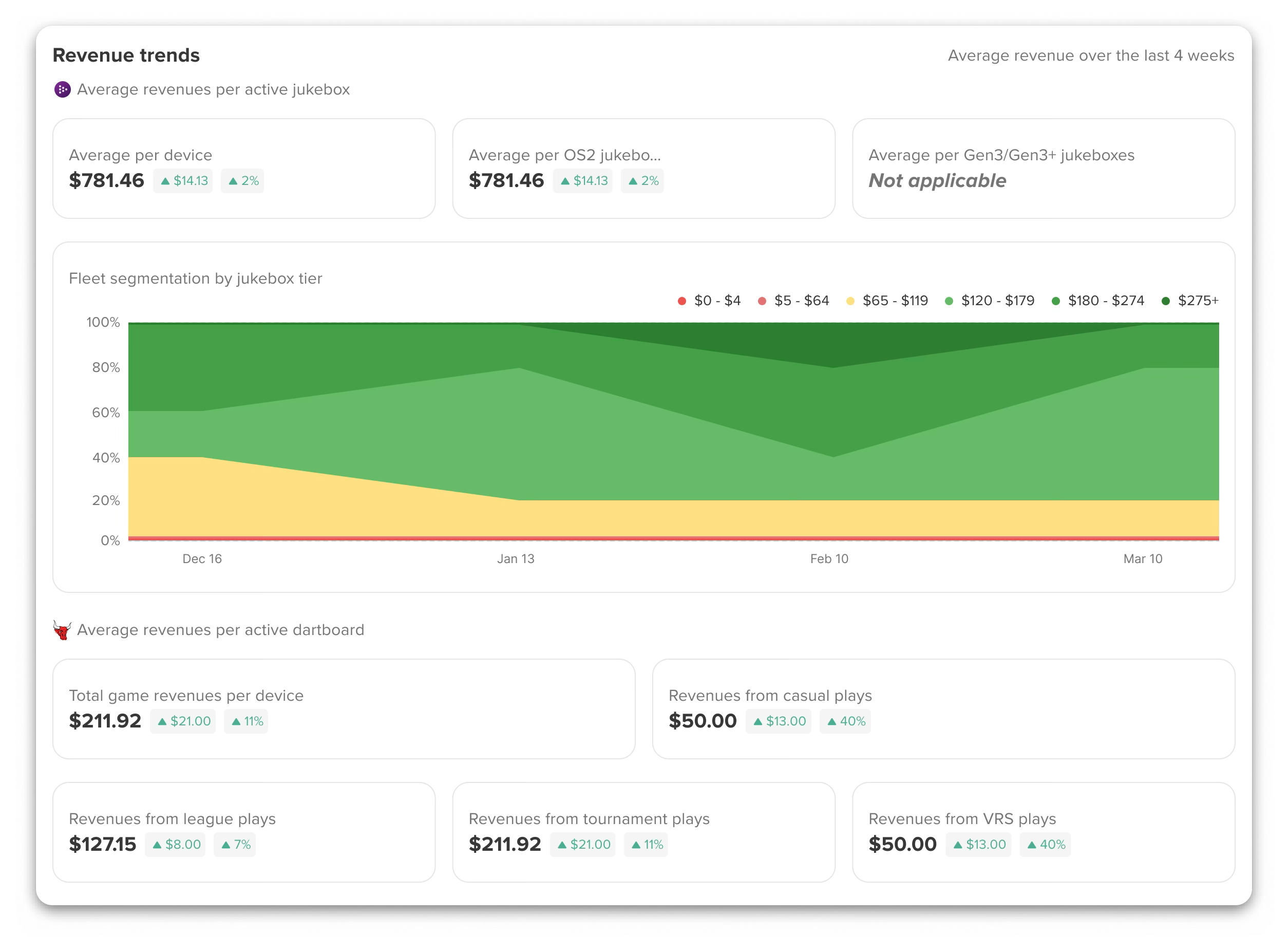
Once TouchTunes Pay™ is active, your Tempo home page shows dartboard information right next to your jukebox data. At a glance, you can now see:
- Live status. See which dartboards are online, offline, turned off, or in use — same as you already do for jukeboxes.
- Connectivity & Uptime scores. One combined connectivity score for all your devices. Uptime is tracked separately for jukeboxes and dartboards since they behave differently.

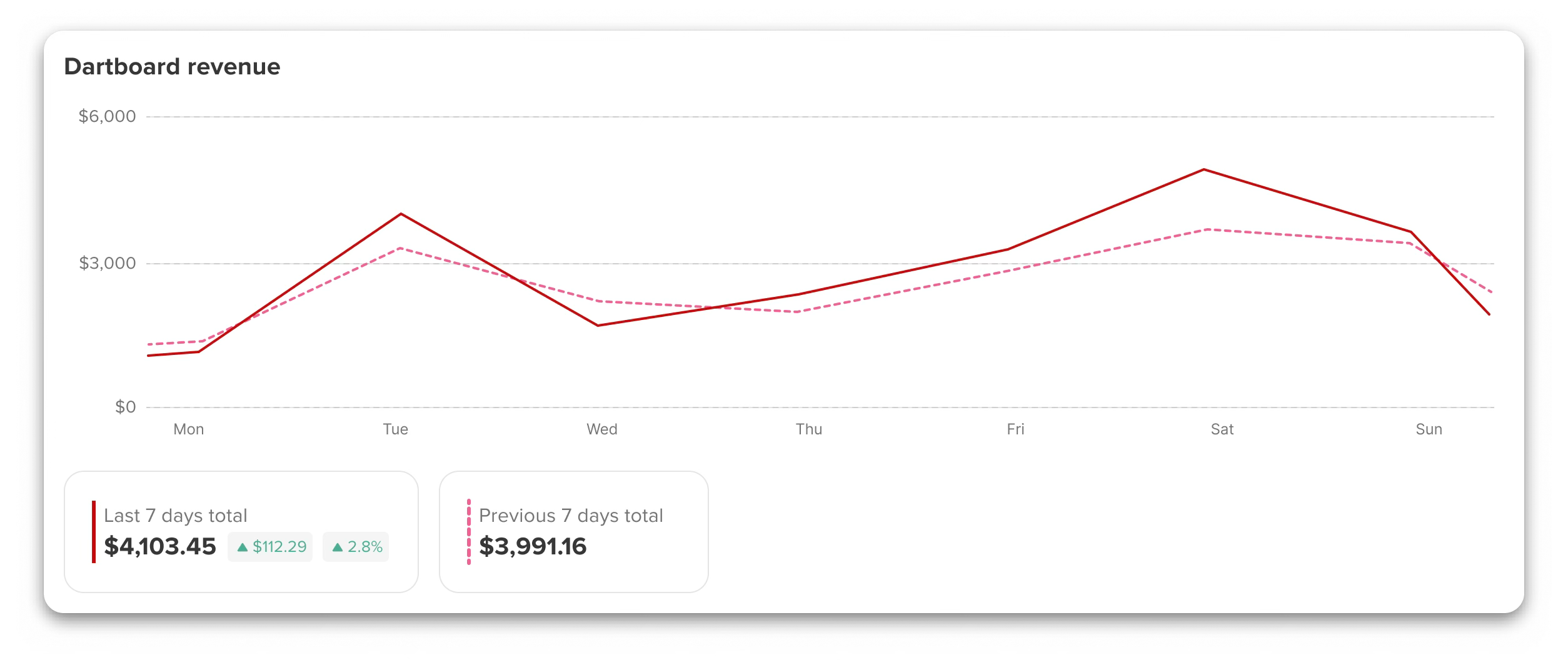
- Dartboard revenues for the last 14 days. Dartboard revenue shown right alongside jukebox revenue so you can compare at a glance.
- Revenue breakdown. See earnings split by type: casual plays, league play, tournament play, and VRS play.
New reports for dartboards
Two new reports help you keep a close eye on how your dartboards are doing.
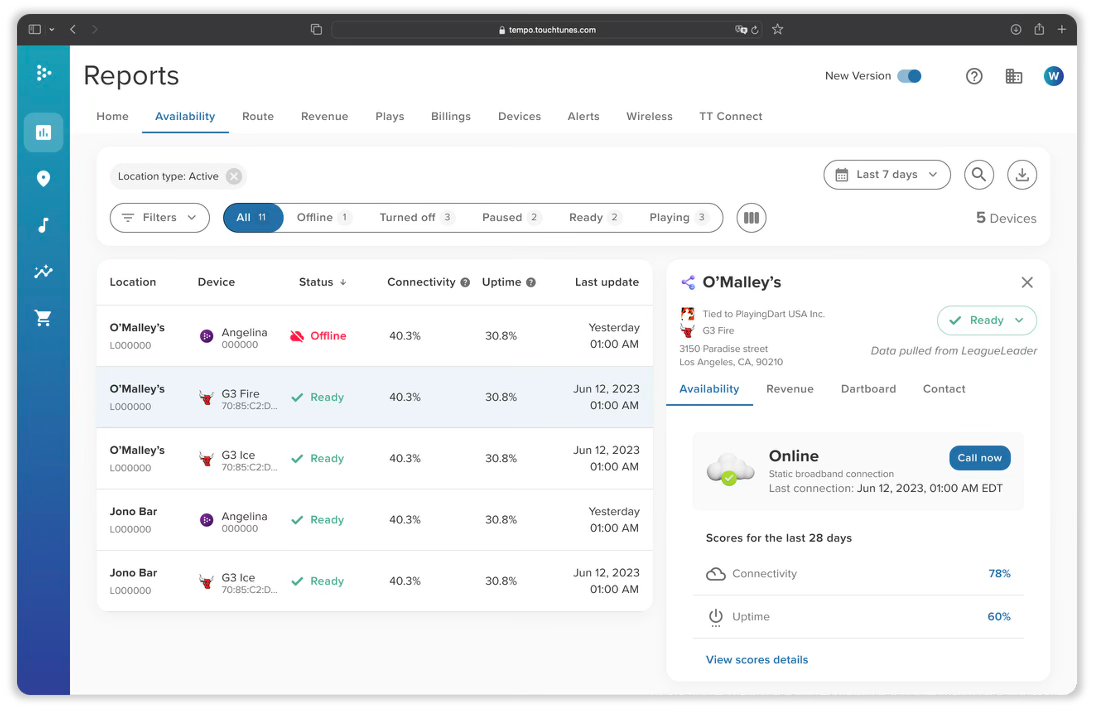
1. Availability Report
See connectivity and uptime for every dartboard on your network. Quickly spot any device that is offline or having trouble connecting. You can now view up to 90 days of history for both jukeboxes and dartboards.
2. Revenue Report
Get a full picture of what each dartboard is earning, including cash or credit card, HotButton credit transfers, and TouchTunes Pay™. Click on any device for a detailed breakdown, including local vs. remote revenues. You can also export everything to a spreadsheet (CSV) if needed.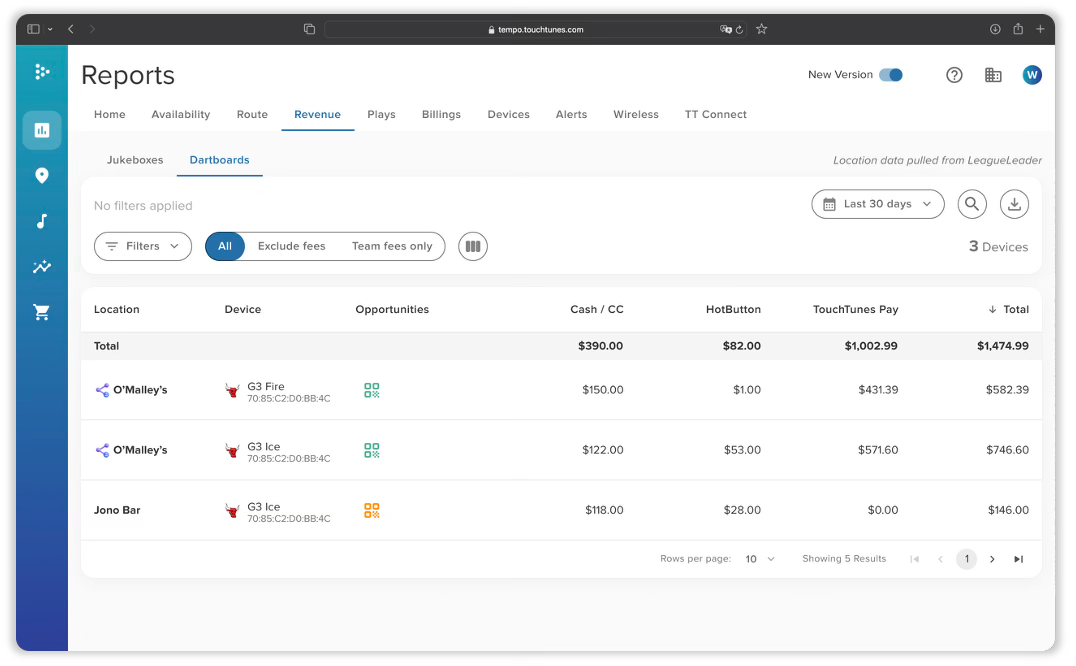
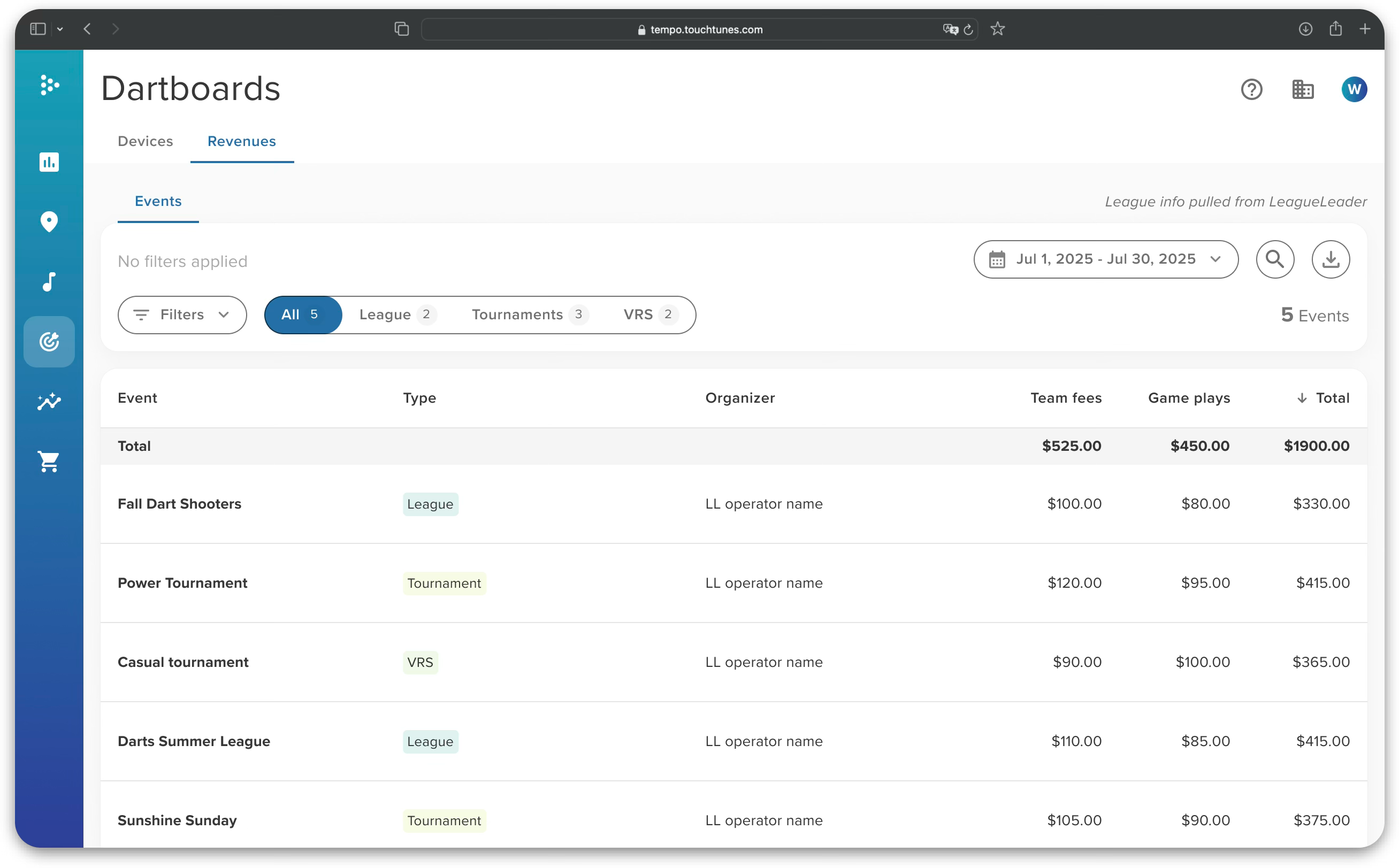
Dartboards Section — Device & Event Reports
The new Dartboards section in Reports gives you two more views:
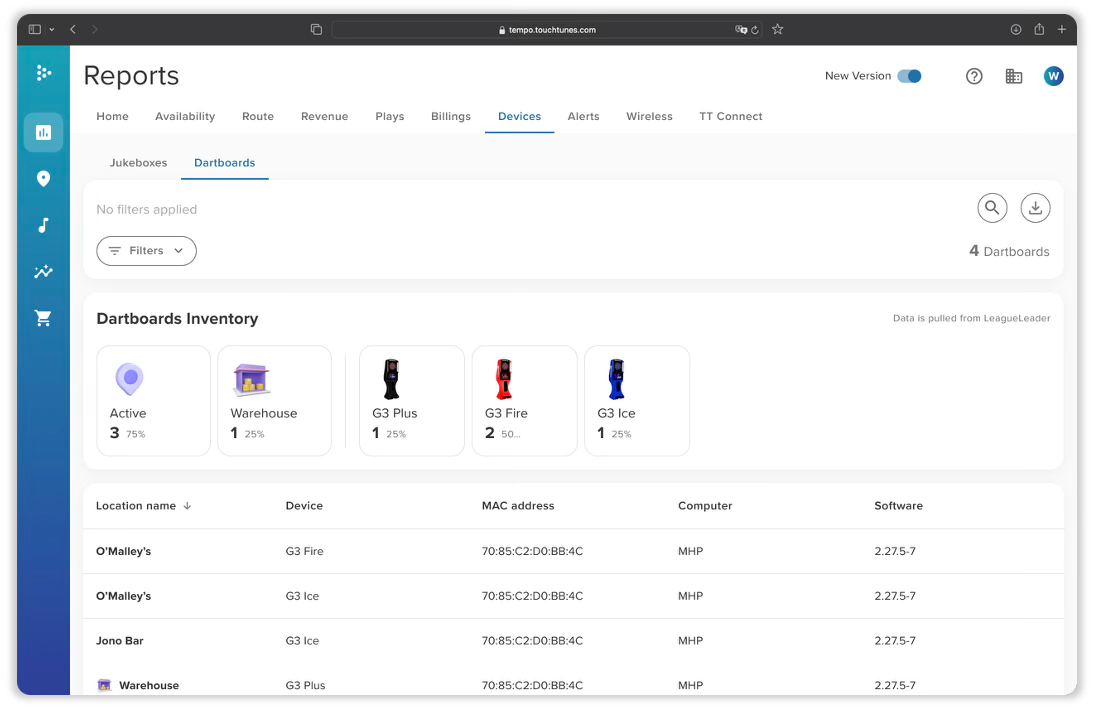
1. Device Report
A full list of your dartboard hardware, including the software version running on each machine. Great for keeping your fleet up to date.
2. Event Revenue Report
See revenues for all league, tournament, and VRS events on your network. Filter by organizer or date range, search for a specific event, and export to CSV if needed.
For any question, please reach out to your TouchTunes sales representative.