Tempo & Jukebox Optimization Tools
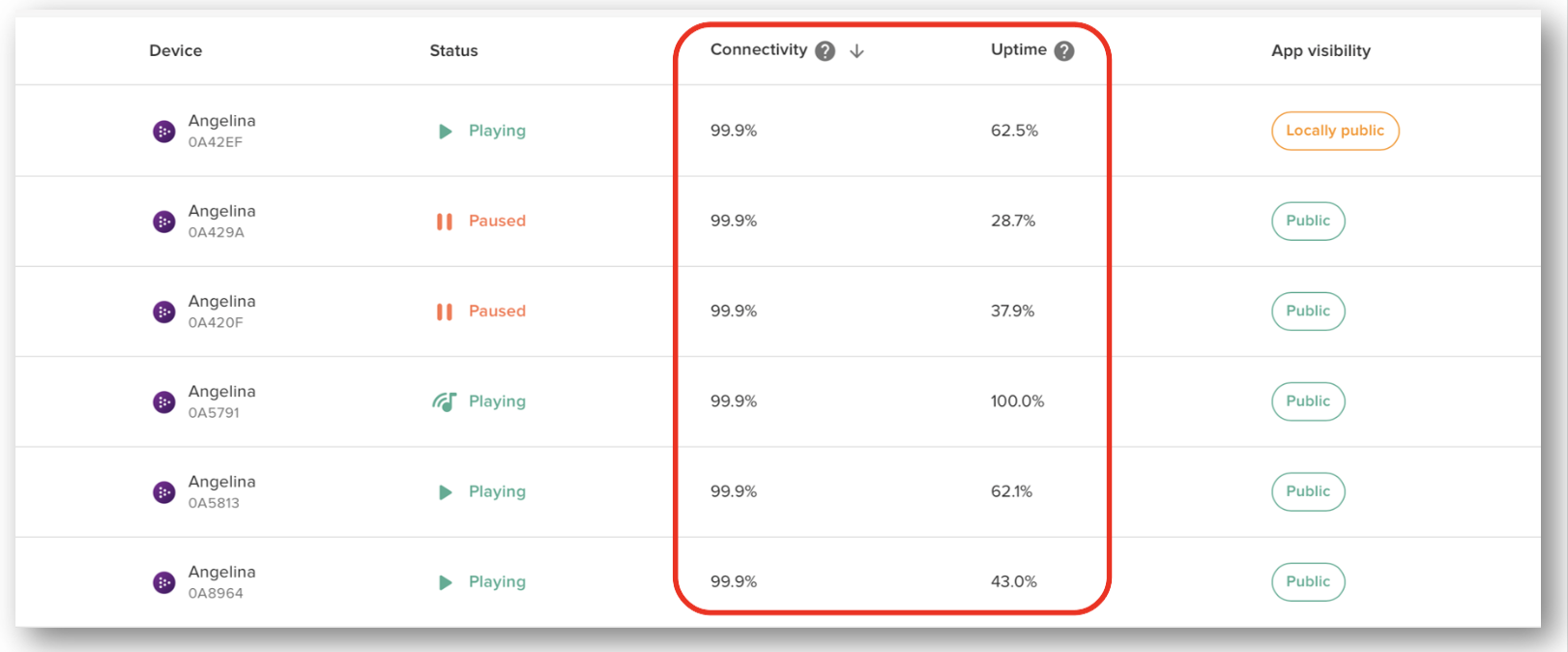
1. Monitor Jukebox Connectivity & Uptime
Where to find it:
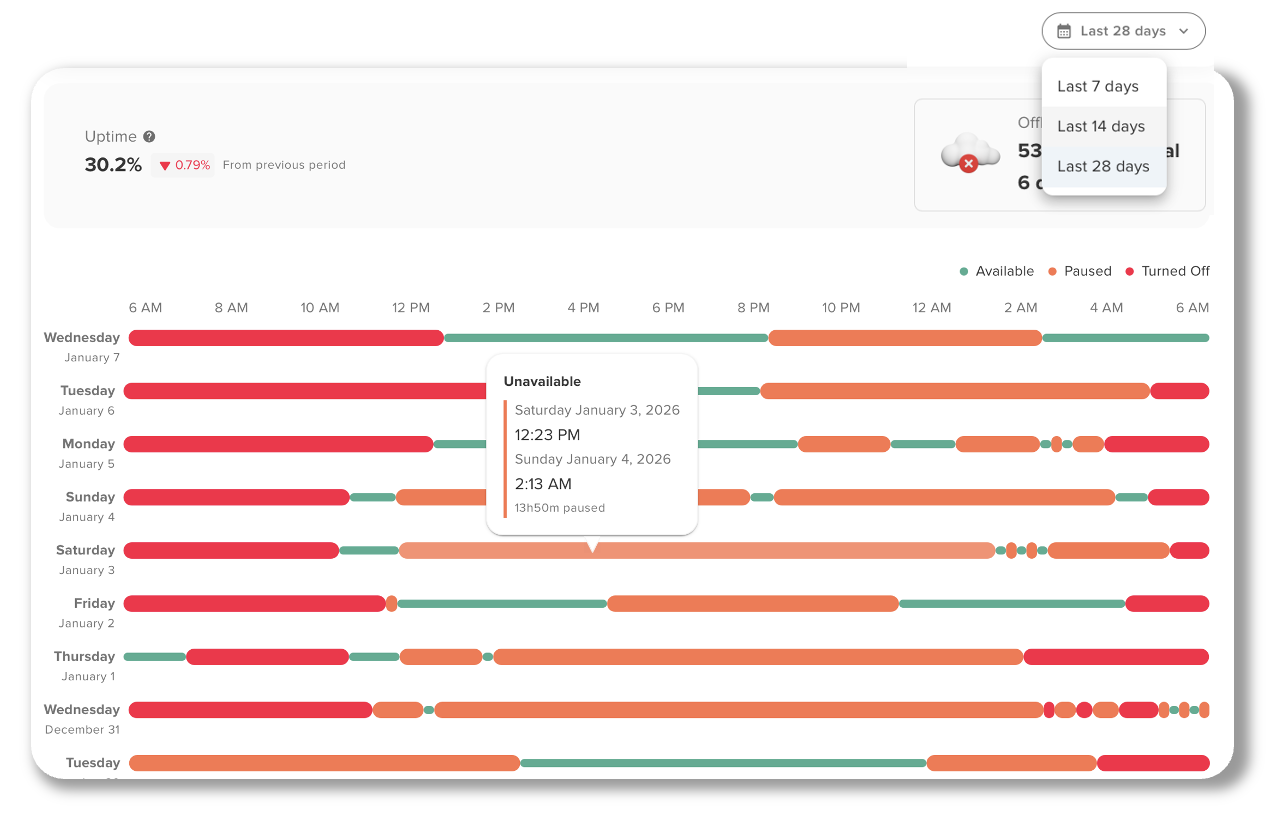
Tempo → Reports → Availability
What it does:
Shows whether your jukeboxes are online, playing, paused, or turned off throughout the day.
Why it matters:
If the jukebox is off or paused, it can’t generate revenue. Monitoring uptime helps you quickly identify locations where the jukebox may be turned off, disconnected, or not being used properly.
Best practice:
Regularly review uptime reports to spot patterns and address issues with venue staff before they impact revenue.
2. Identify Revenue Opportunities
Where to find it:
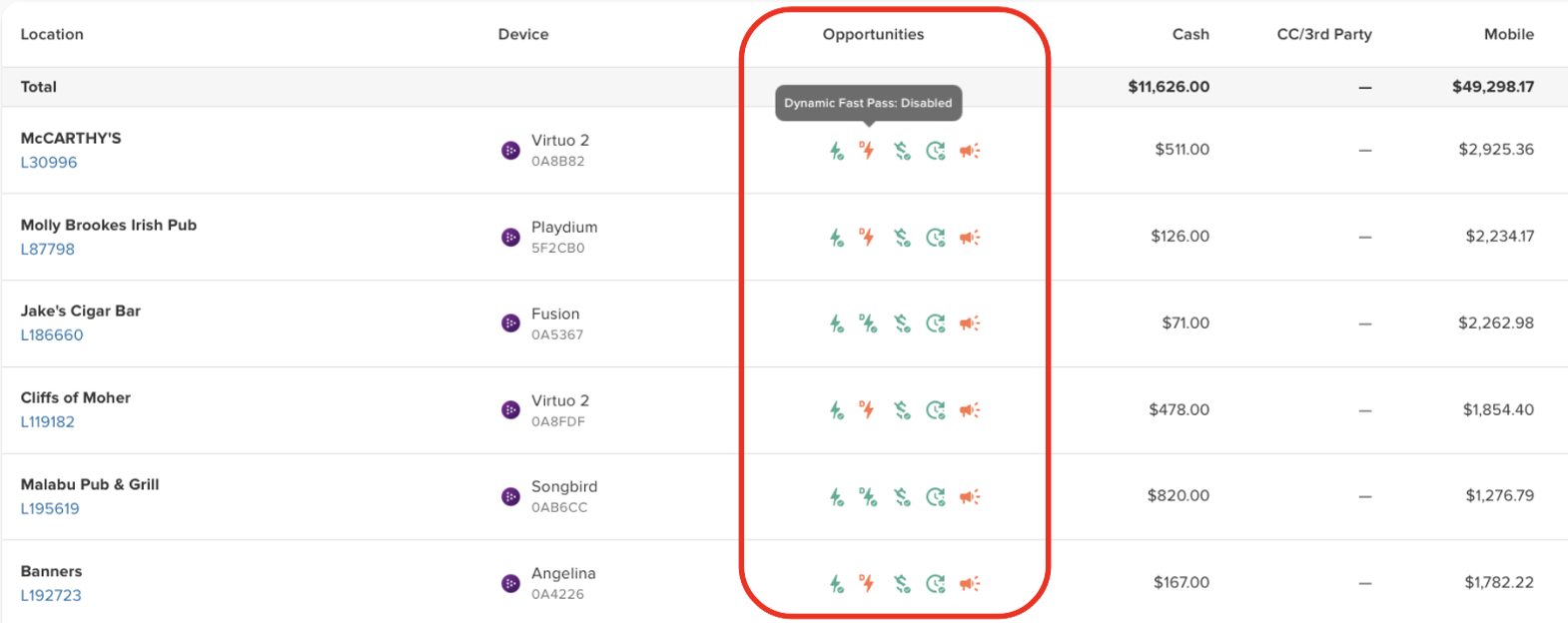
Tempo → Reports → Revenue
What it does:
Highlights important revenue-related settings that may not be enabled on your jukeboxes.
Key settings to review:
- Fast Pass – Allows customers to pay to move their song ahead in the queue.
- Dynamic Fast Pass – Adjusts pricing based on queue demand.
- Auto-Activate – Automatically turns the jukebox on during scheduled hours.
- Juke Booster – Promotes jukebox usage through audio reminders.
- Free Mode – Should typically be disabled to ensure plays are paid.
Why it matters:
These features are designed to maximize revenue and engagement. The report makes it easy to see which locations may be missing opportunities.
3. Use Juke Booster to Drive Plays
Where to find it:
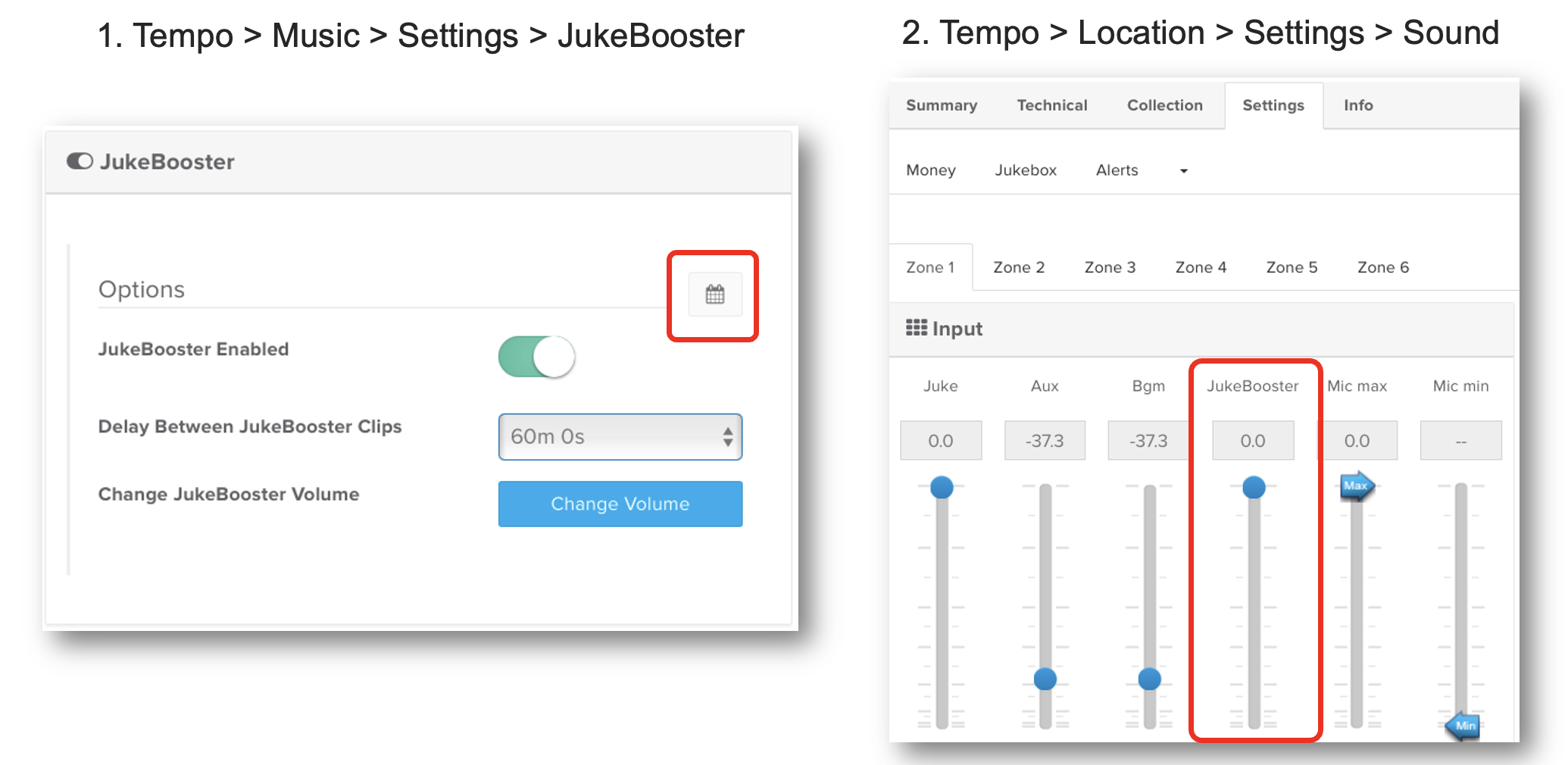
Tempo → Music → Settings → JukeBooster
What it does:
Plays short promotional audio clips between songs to remind patrons that the jukebox is available.
Why it matters:
These reminders help increase awareness and encourage customers to play music, especially in venues where the jukebox may not be top of mind.
Best practice:
Adjust the timing and volume so the reminders are noticeable without interrupting the venue atmosphere.
4. Auto Activation (Hours of Operation)
Where to find it:
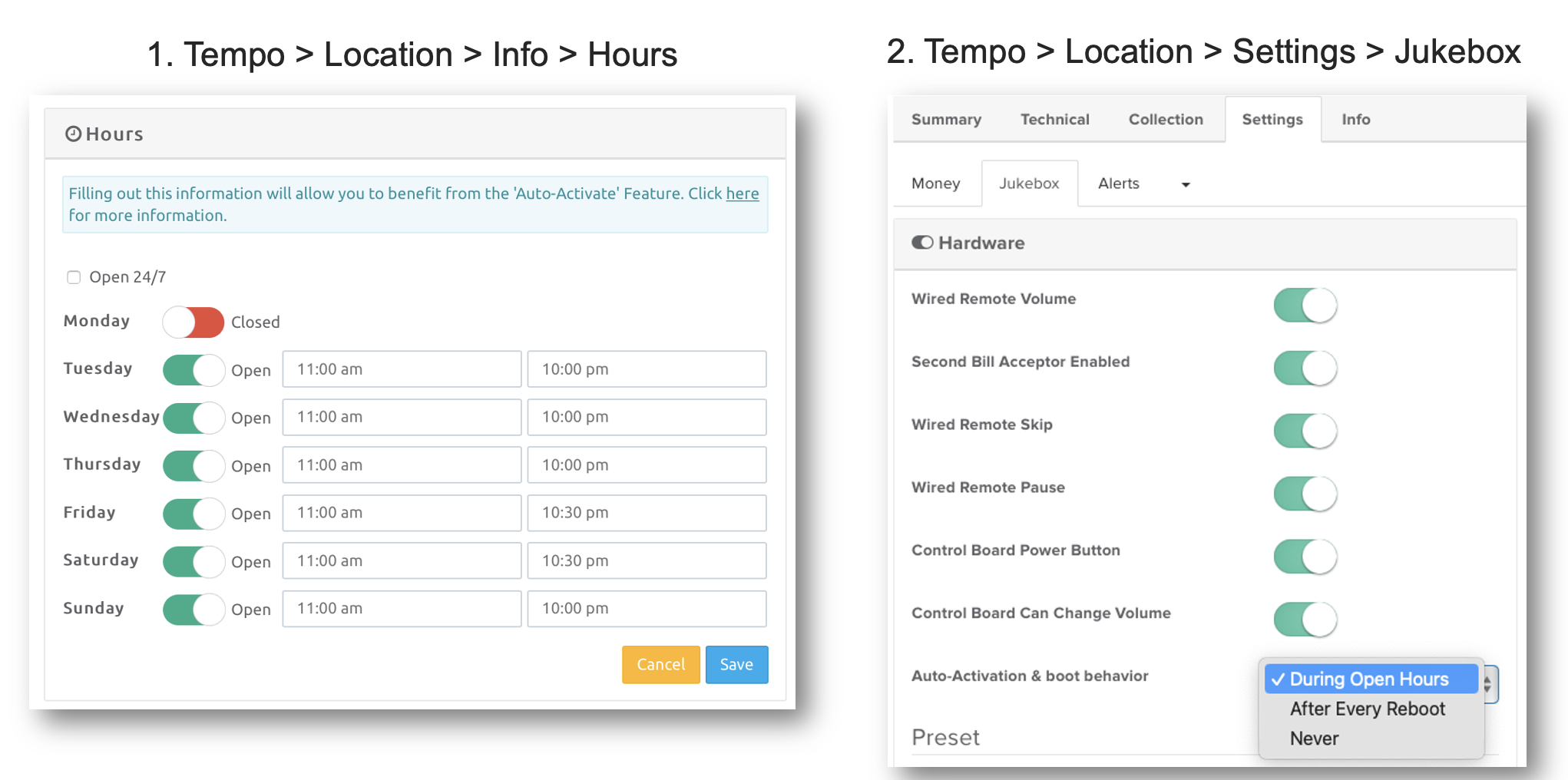
Tempo → Location → Info → Hours
Tempo → Location → Settings → Jukebox
What it does:
Automatically powers on the jukebox based on the venue’s set hours of operation, ensuring it’s on and ready to play each day.
Why it matters:
If the jukebox is off when guests arrive, you’re missing revenue opportunities. Auto-Activation keeps the jukebox consistently available, driving more engagement, plays, and earnings without relying on staff to turn it on.
Best practice:
Review and update the default hours to match the venue’s actual operating schedule so the jukebox is on during peak traffic times and not left off when it matters most.
5. Keep the Jukebox as the Primary Audio Source
What to check in the venue:
- Ensure the Aux setup routes house audio through the jukebox
- Prevent staff from connecting external music sources directly
- Balance audio levels so the jukebox isn’t drowned out
Why it matters:
If staff default to Spotify, Pandora, or YouTube, customers may not realize the jukebox is available, which directly impacts plays and revenue.
6. Optimize Background Music (CMP)
What it does:
CMP provides licensed background music while keeping the jukebox in control of the audio system.
Key tools:
- Scheduling – Set when background music runs
- Attract Mode – Adds gaps between songs to encourage plays
- Playback Controls – Manage how CMP behaves during jukebox usage
Why it matters:
CMP keeps music playing while still encouraging jukebox interaction instead of replacing it with third-party streaming.
7. Manage Mobile App Visibility
Where to find it:
Tempo → Location → Edit Location
Options:
- Fully Public – Anyone nearby can see the jukebox
- Locally Public – Only customers physically in the venue can play
Why it matters:
Correct visibility settings help prevent trolling while ensuring legitimate customers can easily find and use the jukebox.
8. Configure Zones for Larger Venues
What it does:
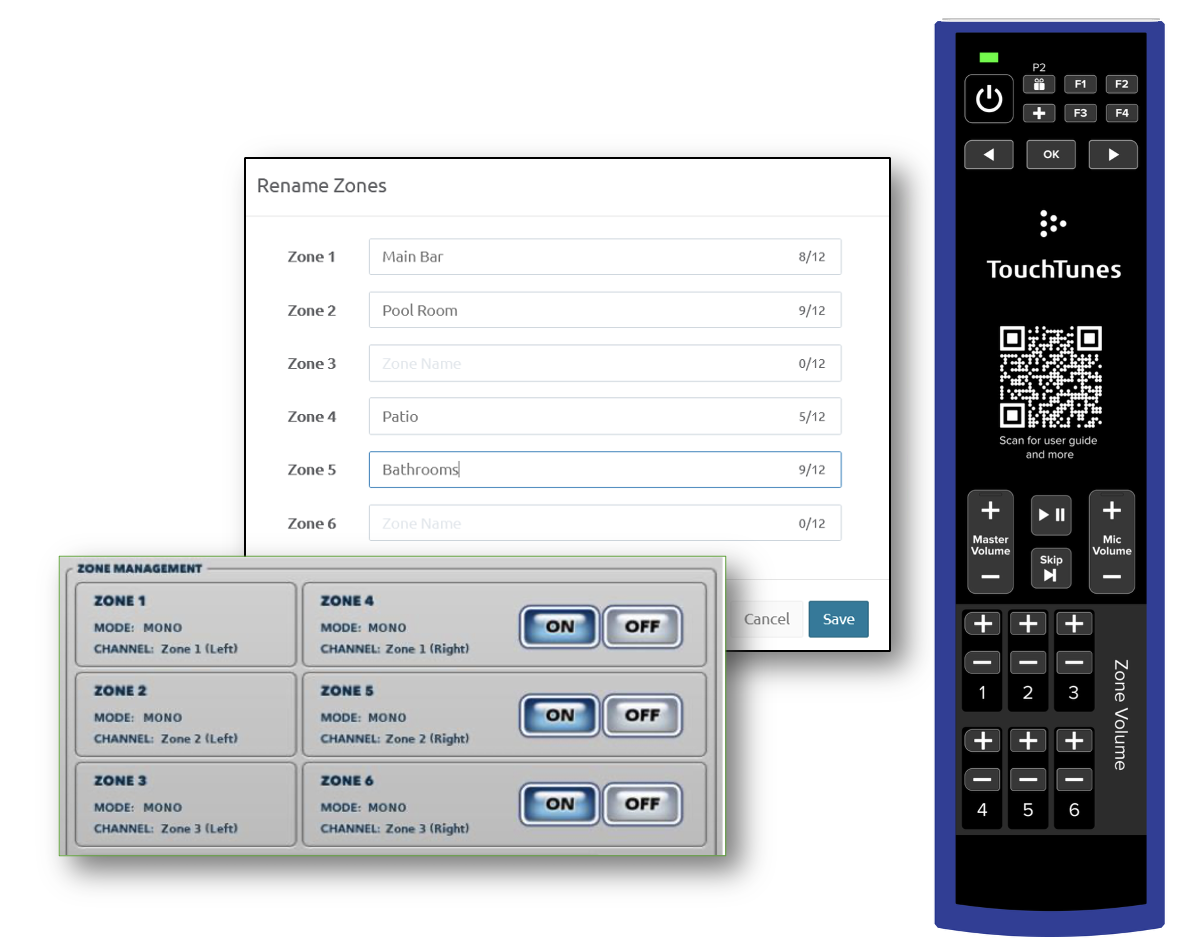
Allows you to split audio into multiple areas of the venue.
Why it matters:
More zones mean more areas where customers can hear the jukebox, which can increase engagement and plays.
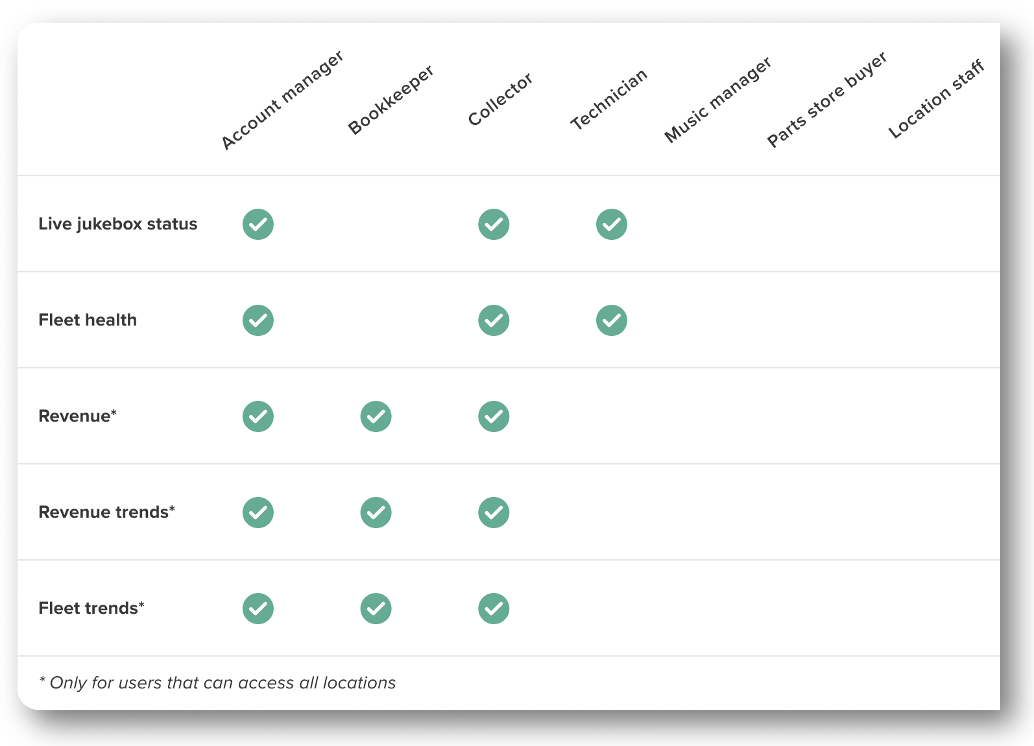
9. Give Your Team Tempo Access
Help
Why it matters:
Providing Tempo access to technicians, collectors, and account managers allows your team to:
- Monitor jukebox health
- Identify issues early
- Reduce service calls
- Keep locations running smoothly